How to take professional‑looking portrait photos with your phone

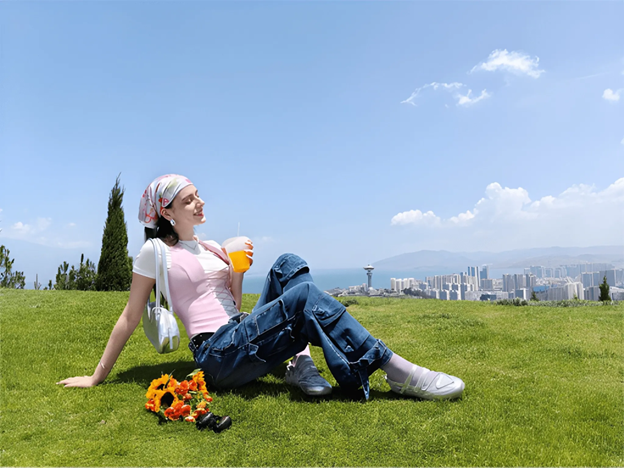
How do you take professional‑looking portrait photos on a smartphone? And what makes a phone truly good for portraits? This guide walks you through the core techniques of portrait photography and shows how the right smartphone can help you achieve professional-looking results every day.
What are the basics of portrait photography?
At a high level, great portraits come down to three things: light, composition, and how natural the person’s expression feels.
- Light: Try to shoot in soft, even lighting, e.g., face your subject towards a window or shoot in natural daylight near a balcony or open space. Avoid placing strong light directly behind the subject because it can turn their face too dark.
- Composition: It is about how you frame your subject in the scene. Use the rule of thirds grid on your phone: place the eyes near the top third line, and leave a bit of headroom instead of cutting off the top of the head. Try shooting from a slight angle rather than framing every portrait straight on, and always check the background so no distracting poles or signboards are sticking out behind the person.
- Expressions: Give your subject simple prompts, like “look just past the camera”, “chin slightly down”, “relax the shoulders”, and take a series of shots instead of only one. This helps you capture micro‑expressions that look candid.
How can your phone’s portrait tools help?
Modern smartphones offer Portrait mode and a range of advanced camera tools, but getting the best results depends on how you use them.
- Portrait mode usually simulates background blur to make the subject stand out, and works best when there is some distance between your subject and the background. Step your subject forward from the wall or trees, then tap to focus on the face so the blur looks more natural.
- Zoom is another underrated tool for portraits. Instead of standing very close with the main lens, use a 2x or 3x zoom to compress the background and avoid distortion in the face. Very wide lenses make noses look larger, and faces look stretched; telephoto framing creates a more flattering perspective, which is why it is widely used for weddings and fashion photography.
- Don’t forget the front camera. For group selfies, festive outfits and “OOTD” shots, a high‑quality front camera with a wide field of view lets you include more people and more of the outfit without having to use a selfie stick. Combine that with skin‑tone‑aware processing, and you get selfies that look real yet polished.
What features should you look for in a smartphone for portrait photography?
A smartphone designed for great people shots needs good hardware, thoughtful colour science for Indian skin tones, and built‑in creative tools that save you from downloading and managing multiple editing apps:
- Hardware side: Look for a high‑resolution main camera, a real optical telephoto lens, and a capable front camera.
- Colour science: Many devices either over‑brighten or add excessive warmth to Indian skin tones, which might look “bright” but rarely look natural in wedding albums or everyday portraits. So, a phone that can represent your true skin tones would be ideal.
- Built‑in social creation: For Gen Z users, content creators and social media enthusiasts, a capable device should not force users to install several apps just to make collages, retro edits, or cut‑out stories.
How does the OPPO Reno16 Series meet the needs of a portrait phone?
Once you know the basics, the OPPO Reno16 5G and OPPO Reno16c 5G are designed to help users apply these photography techniques with ease every day. The entire Reno16 Series is positioned as a Trendy Portrait Bestie with a Trend‑Setting AI Portrait Camera.
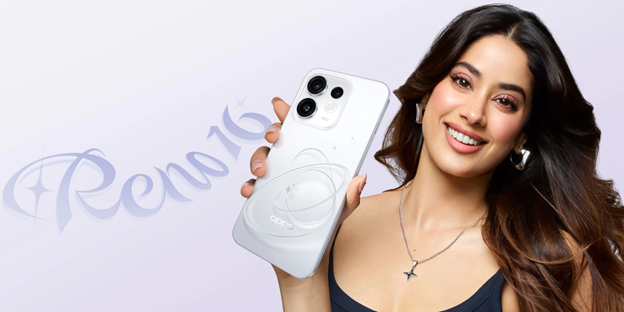
Here is how the Reno16 Series lines up with those traits of a portrait phone:
| Portrait factor | Why it matters | OPPO Reno16 5G | OPPO Reno16c 5G |
| Main portrait sensor | High resolution keeps skin texture natural when you crop or print. | 50 MP Ultra-Clear Main Camera | |
| Telephoto portrait lens | Flattering face proportions and background compression at 3.5x optical. | 50MP 3.5x Telephoto Vibe Portrait | |
| Front selfie camera | Wide FOV makes group selfies and OOTD portraits easier. | 50MP Ultra-Wide Selfie Camera, 100° FOV | |
| Skin‑tone rendering | True‑to‑life Indian skin tones instead of over‑whitened filters. | Natural Tone Imaging portrait colour science | |
| Creative tools | Collages, retro looks and cut‑outs without extra apps. | AI Remix Collage with video, Live Photo and photo backgrounds plus animated and static stickers. | AI Remix Collage with static photo stickers and cut‑outs tuned for entry‑level creators. |
Ultimately, professional‑looking portraits are really about two things: using simple techniques for light, framing and expression, and choosing a smartphone specifically designed for capturing people at their best. When you put those basics into practice with the OPPO Reno16 5G or OPPO Reno16c 5G, you get photos that look ready for Instagram, LinkedIn, family celebrations or even a wedding album straight from your phone. If you’re serious about levelling up your portrait game on mobile, these two Reno16 models are well worth checking out next.